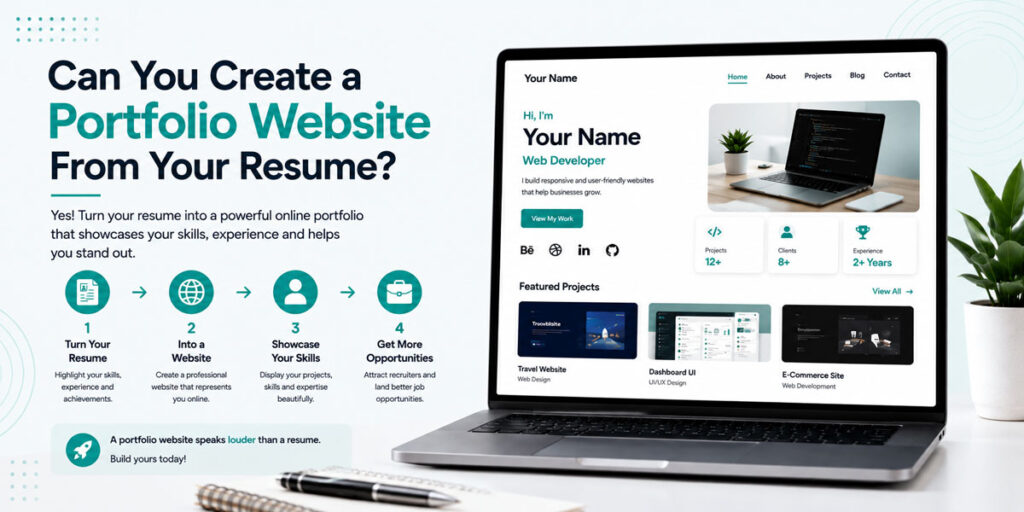
Yes, and for many people, your resume is actually the perfect starting point for building a professional portfolio website.
Your resume already contains important information about your career or education. It may include your professional summary, skills, work experience, education, projects, certifications, achievements, and contact information. Instead of starting your portfolio from a completely blank page, you can use this information as the foundation for your online professional profile.
However, creating a portfolio website from your resume doesn’t mean copying every sentence from your resume onto a website. A portfolio has a different purpose. Your resume provides a concise summary, while your portfolio can provide more detail, context, visuals, links, and evidence of your work.
Understanding this difference can help you create a portfolio that complements your resume instead of simply duplicating it.
Resume vs Portfolio: What’s the Difference?
A resume is designed to communicate your qualifications quickly. Recruiters often review resumes in a short amount of time, so the information needs to be concise and easy to scan.
A portfolio provides more space to demonstrate your capabilities. Instead of simply mentioning a project, you can explain the problem, your approach, the tools you used, your contribution, and the result.
For example, your resume might say that you “developed a responsive e-commerce website.” Your portfolio can explain the purpose of the website, the technologies used, the challenges you encountered, the features you developed, and the final outcome.
This makes the resume and portfolio combination particularly powerful. The resume gets attention quickly, while the portfolio provides additional evidence for recruiters who want to learn more.
Which Parts of Your Resume Can You Use?
Most sections of your resume can become the foundation for your portfolio.
Your professional summary can become the introduction on your portfolio homepage. Your skills can become a dedicated skills section. Your projects can become detailed project entries. Your employment history can become your experience section, while education, certifications, and achievements can also be expanded.
The important thing is to adapt the information for a website.
Your resume may say:
“Digital Marketing Specialist with experience in SEO and social media.”
Your portfolio introduction could provide more context by explaining your areas of specialization, the type of campaigns you’ve worked on, and the results you’ve achieved.
The portfolio should therefore provide a deeper understanding of the information already present in your resume.
Turn Your Resume Summary Into Your Portfolio Introduction
Your resume summary is generally short because you have limited space.
A portfolio gives you slightly more freedom to introduce yourself. Your homepage introduction should quickly communicate your professional identity and the type of work you specialize in.
If you’re a student, you can mention your field of study, technical interests, projects, and career goals. If you’re an experienced professional, you can highlight your specialization, years of experience, major strengths, and professional focus.
Avoid generic statements that could apply to anyone. Instead of describing yourself as simply “hardworking and passionate,” explain what you actually do and what you are interested in building or contributing to.
Turn Your Resume Skills Into a Strong Skills Section
Most resumes list skills in a simple column or section.
A portfolio allows you to provide more context.
Instead of creating one long list, group your skills into relevant categories. A developer might separate programming languages, frameworks, databases, and development tools. A marketer might divide skills into SEO, paid advertising, content marketing, social media, analytics, and marketing automation.
This structure makes your profile easier to scan and helps visitors understand where your strengths are concentrated.
More importantly, your projects should support the skills you claim to have. If you list a technology as one of your strongest skills, try to include at least one relevant project where you’ve actually used it.
Expand the Projects on Your Resume
Your projects are often the easiest section to expand when moving from a resume to a portfolio.
A resume might only provide two or three lines for a project. A portfolio can provide an entire project page or detailed project section.
Explain what you were trying to accomplish, what problem you were solving, what your role was, and which tools or technologies you used. If there were challenges, explain how you approached them.
You can also add screenshots, live project links, GitHub repositories, prototypes, design files, or other relevant work samples.
This is especially useful for students and job seekers who want to showcase projects without professional experience.
Add Information That Isn’t on Your Resume
Your portfolio doesn’t have to be restricted to the information already present in your resume.
You can include case studies, project images, work samples, testimonials, links to professional profiles, detailed achievements, presentations, research, and other relevant material.
For example, a graphic designer can showcase visual work that cannot fit into a traditional resume. A developer can link to live applications. A marketer can include campaign results. A student can showcase academic projects and certifications.
These additional elements can make your portfolio significantly more useful to recruiters.
Can AI Turn a Resume Into a Portfolio?
AI is making the process of creating professional websites significantly faster.
Instead of manually transferring information from a resume into different website sections, AI-powered tools can help organize information and create a starting point for your portfolio.
CampusCV’s AI Resume Import feature is designed around this workflow. You can use your existing resume information as the starting point for your professional portfolio and then review, customize, and improve the information before publishing it.
This approach can save time while still allowing you to maintain control over your final profile.
AI can help with organization, but you should always review the generated information. Your portfolio represents your professional identity, so the final content should accurately reflect your actual experience, skills, and achievements.
Should Your Portfolio Look Exactly Like Your Resume?
No.
Your resume and portfolio should feel like parts of the same professional brand, but they don’t need to use exactly the same layout.
A resume should remain concise and easy to scan. A portfolio can use project cards, images, case studies, visual elements, links, and additional sections.
For example, your resume might list three projects, while your portfolio can provide detailed descriptions and visuals for each one.
Think of your resume as the summary of your professional story and your portfolio as the place where visitors can explore that story in more detail.
Where Should You Add Your Portfolio Link?
Once you have created your website, make it part of your professional identity.
Adding a portfolio link to your resume allows recruiters to explore your projects and experience if they want additional information. You can also add your portfolio URL to LinkedIn, email signatures, job applications, freelance profiles, and relevant social media accounts.
A QR code can also be useful, particularly if you use printed resumes at career fairs, networking events, or interviews. A recruiter can scan the code and immediately access your online profile.
The simpler you make it for someone to find your work, the more likely they are to explore it.
How to Turn a Resume Into a Portfolio Website
There are several ways to create your portfolio.
You can build a website manually using HTML, CSS, JavaScript, WordPress, or another website platform. This provides flexibility but requires more technical knowledge and time.
Another option is to use a portfolio website builder designed specifically for professional profiles.
With CampusCV, you can use your resume as the starting point, organize your professional information, customize your portfolio design, add projects and skills, and publish your profile with a personal URL.
This can be a practical option if your priority is creating a professional portfolio quickly without spending significant time on website development.
Keep Your Resume and Portfolio Updated
Creating your portfolio once isn’t enough.
Your professional profile should evolve as your career develops. Whenever you complete a new project, gain experience, earn a certification, learn a valuable skill, or achieve an important milestone, consider updating your portfolio.
This is particularly important for students. A portfolio can start with academic projects and certifications and gradually grow as internships, freelance work, competitions, and professional experience are added.
Over time, your portfolio can become a record of your professional growth.
Final Thoughts
Your resume already contains most of the information you need to begin creating a professional portfolio.
The key is to use your resume as the foundation rather than the finished product.
Expand your projects, demonstrate your skills, add relevant visuals and links, highlight achievements, and create an online profile that gives recruiters a deeper understanding of what you can do.
With CampusCV, you can simplify the process by using your existing professional information to create a customizable online portfolio.
Turn your resume into a professional portfolio with CampusCV and make your professional profile easier to discover and share.